
Random melodies and rhythms that repeat when you want them to.
Glass Spheres is a random sampler after Mutable Instruments Marbles, running as a plugin on your standalone MPC. It makes random gates, melodies in a scale and slow modulation, and with deja vu it loops what it made. It makes no sound itself: it plays your other tracks over MIDI, or analog gear over the MPC X's CV/Gate jacks.
Free · open source (MIT) · standalone MPC with the Hakai firmware · CV output on the MPC X.
Features
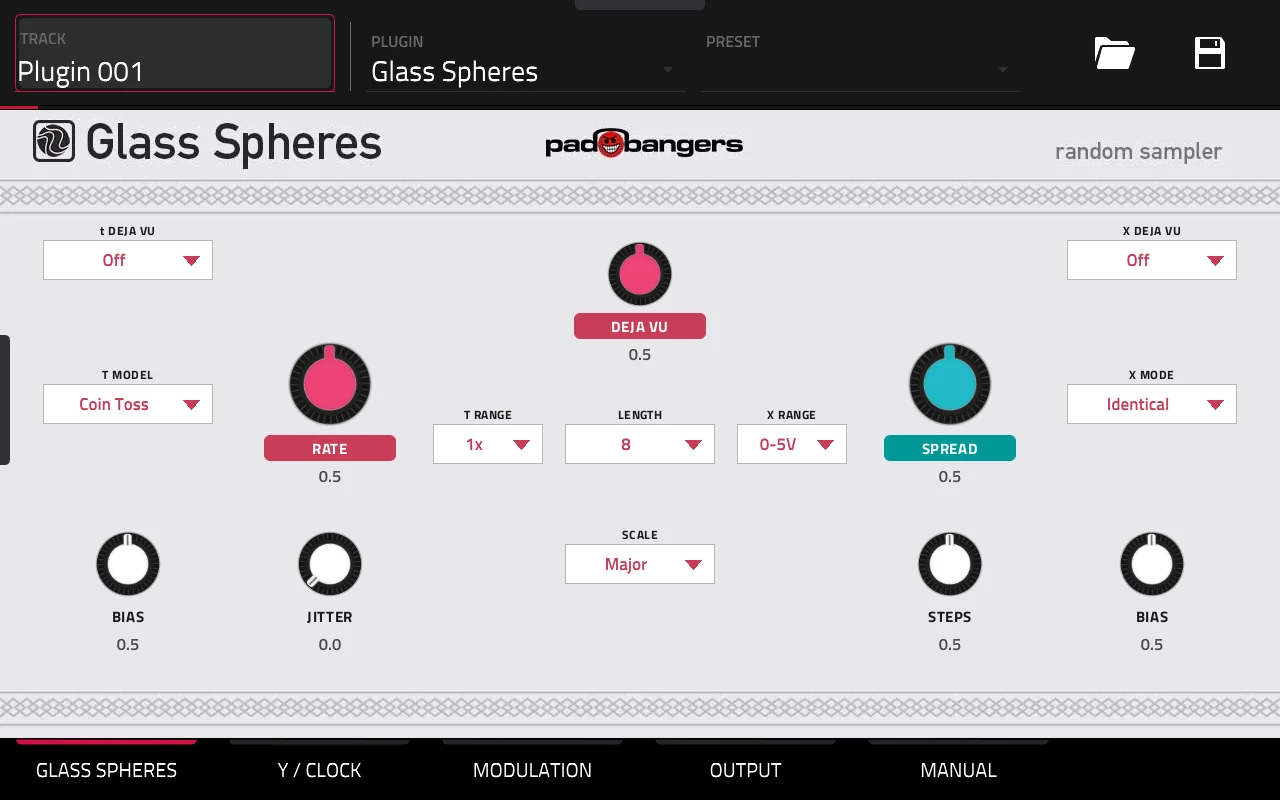
Laid out like the module
The T section on the left (RATE, BIAS, JITTER, the T model), DEJA VU and LENGTH in the middle, the X section on the right (SPREAD, BIAS, STEPS, X mode). Seven T models from Coin Toss to Markov, six scales, and deja vu per section: off, on or locked.
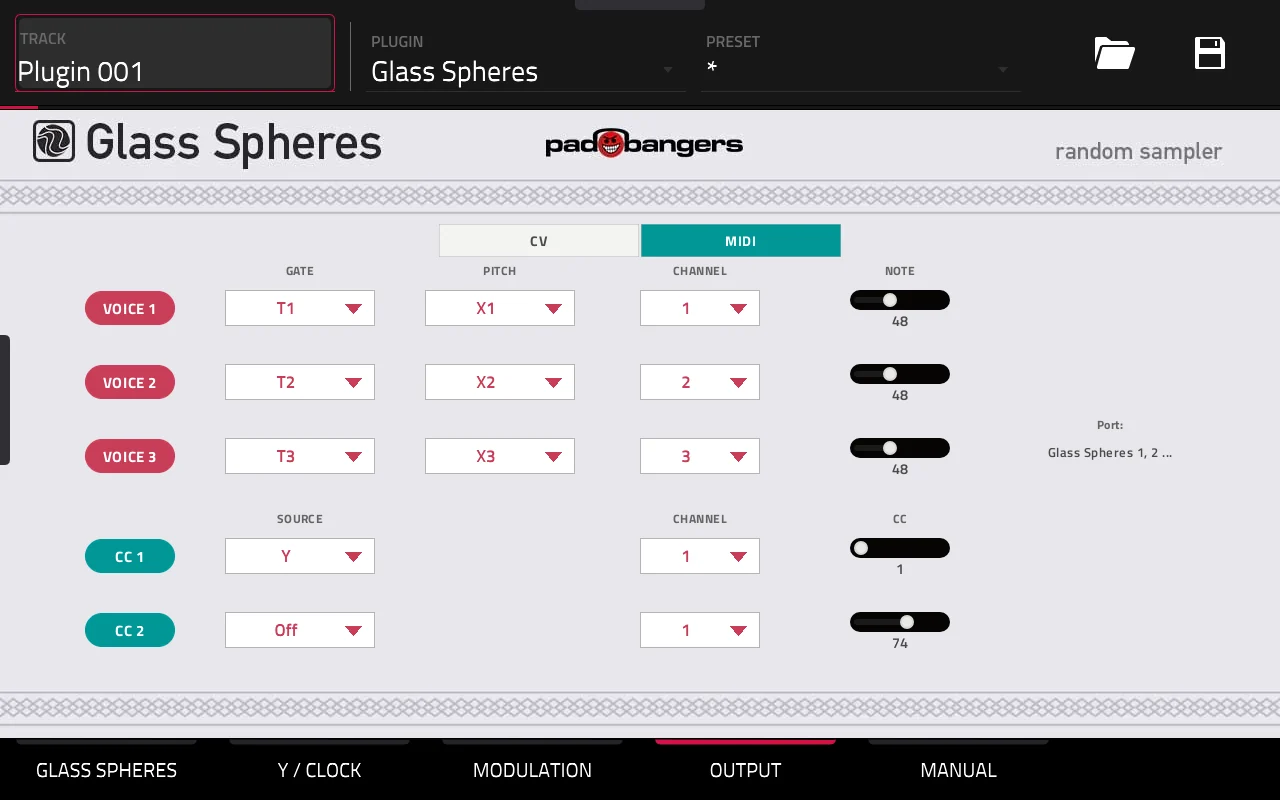
MIDI out, freely routed
Every Glass Spheres opens its own MIDI port. Three voices, each with a gate (T1–T3), a pitch (X1–X3, Y or a fixed note for drums) and its own channel, plus two CC lanes: a melody on one track, kick and snare on a drum track, Y on a filter.
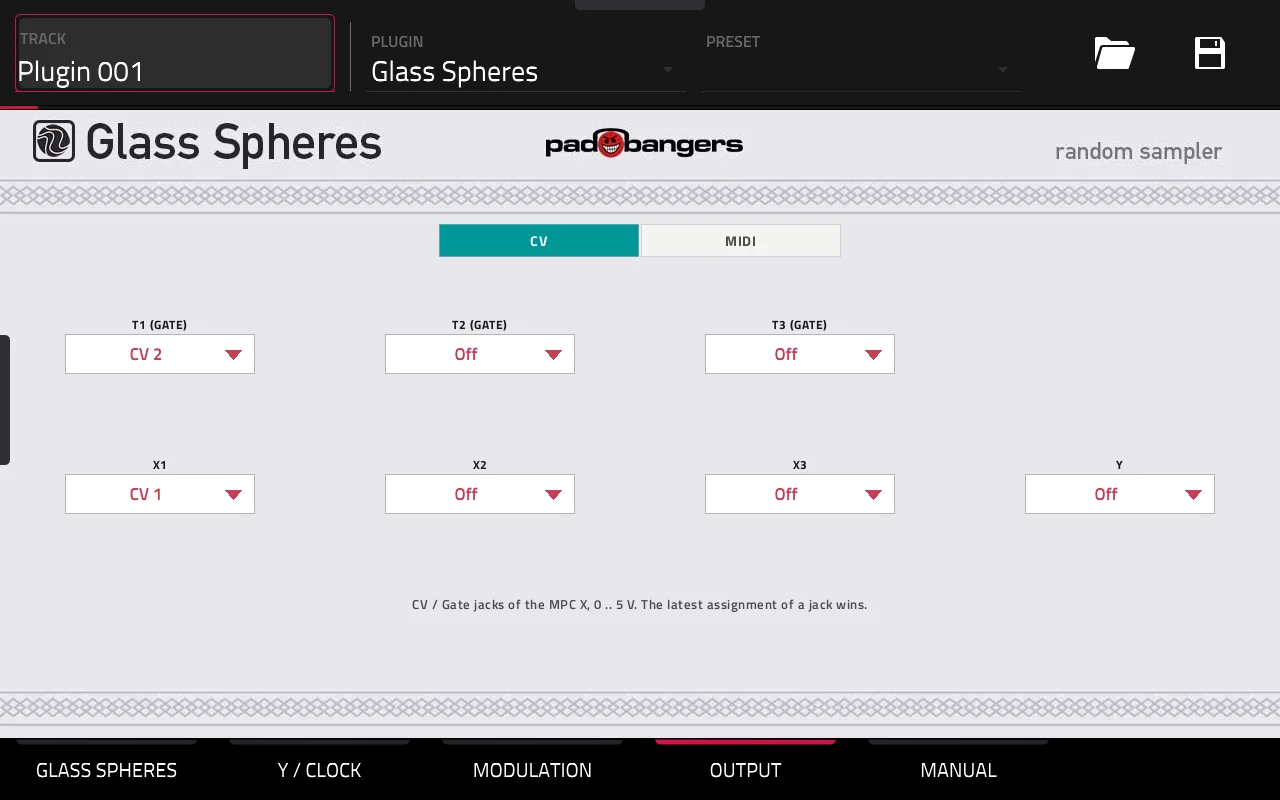
CV out on the MPC X
Or send the seven outputs to any of the MPC X's eight CV/Gate jacks, 0–5 V at 1 V/octave, and play your modular or analog synths straight from the MPC.
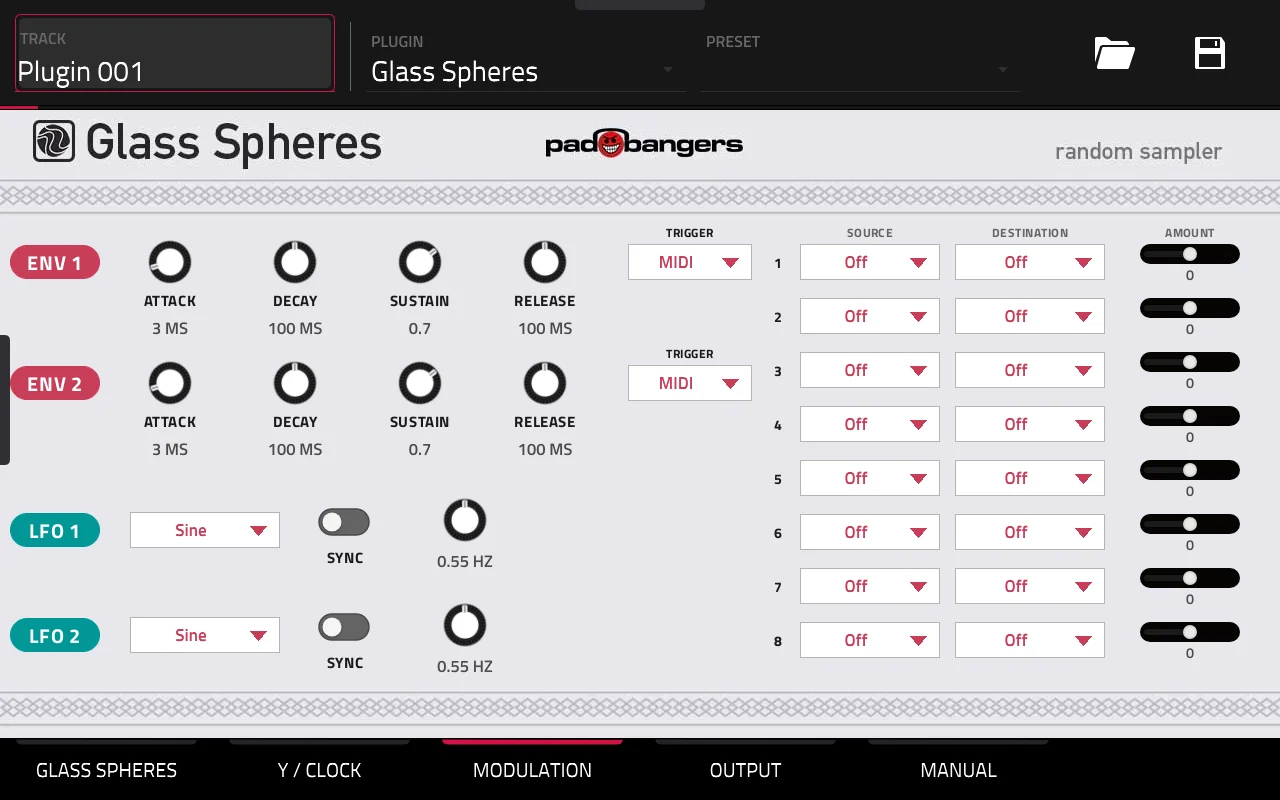
Clock, Y and modulation
Clock it internally, from the MPC's tempo and transport, or from MIDI notes. Two envelopes, two LFOs and an 8-slot matrix onto Marbles' CV inputs, with its own outputs as sources: patch Y onto T Rate for a drifting tempo, just like on the module.
Use it
- 1Install Glass Spheres, best through the MPC VST Plugin Catalog (see Download).
- 2Add it as an instrument plugin on a track of its own (manufacturer Padbangers).
- 3MIDI: set OUTPUT to MIDI, and on the track you want to play pick Glass Spheres 1 as MIDI input with the voice's channel and monitoring on.
- 4CV (MPC X): set OUTPUT to CV and assign the outputs to jacks, e.g. X1 → CV 1 (pitch), T1 → CV 2 (gate).
Download
Free and open source (MIT).
Requires the Hakai firmware. This runs on standalone Akai MPCs (and the Force) that have been modded with the Hakai firmware, which gives you root access over SSH. A stock MPC can't install it.
Best way to install: through the MPC VST Plugin Catalog — download it there, or install it straight from the MPC with the catalog's Plugin Manager. The catalog also tells you about updates. Prefer to do it by hand? The release files and an install script are on GitHub.
Marbles and stmlib by Emilie Gillet (MIT). Built with the mpc-vst-plugins framework. Installing plugins on a modded MPC is unofficial: back up your projects and use it at your own risk. Not affiliated with Mutable Instruments, Akai Professional or inMusic.