

Your Mackie Control — supercharged for Fender Studio Pro v8 and Studio One v7.
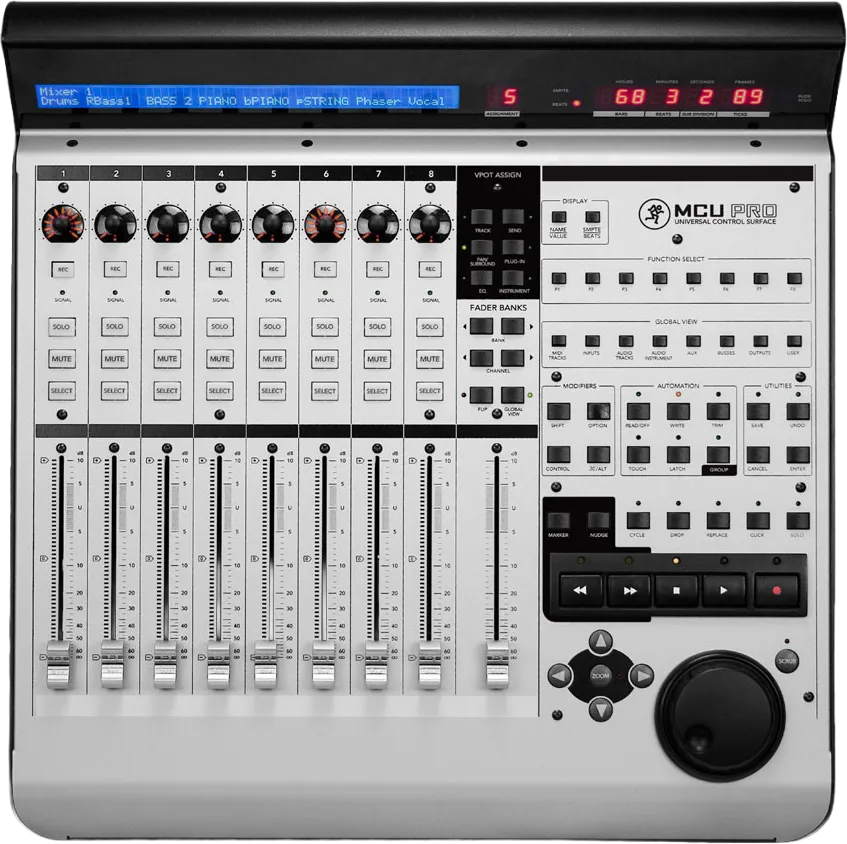
Control Plus is an extended MCU device for Fender Studio Pro v8 and Studio One v7. It adds an advanced MIDI mode with 8 pages of freely mappable knobs, buttons and faders, 16 user functions on the F-keys, dedicated marker, nudge and loop modes — and a web configurator where you decide what every labelled key does before you download your personal device.
Free user device for Fender Studio Pro v8 and Studio One v7 · works with MCU-compatible controllers (Mackie Control, Behringer X-Touch …).
Features
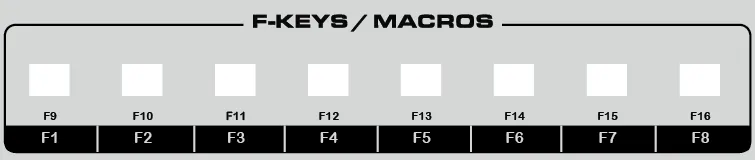
16 user functions & macros
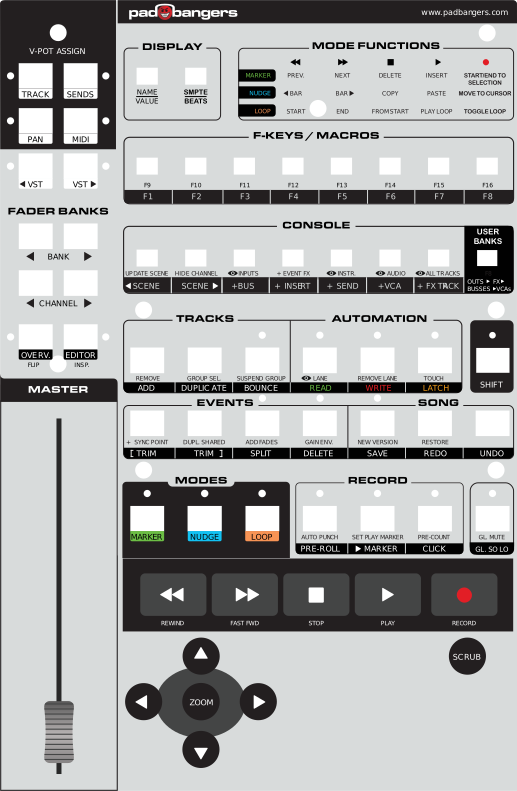
F1–F8 plus a Shift layer (F9–F16) give you sixteen freely assignable slots — mapped directly in your DAW's device editor with any command or macro. Your assignments are shown right on the on-screen device.
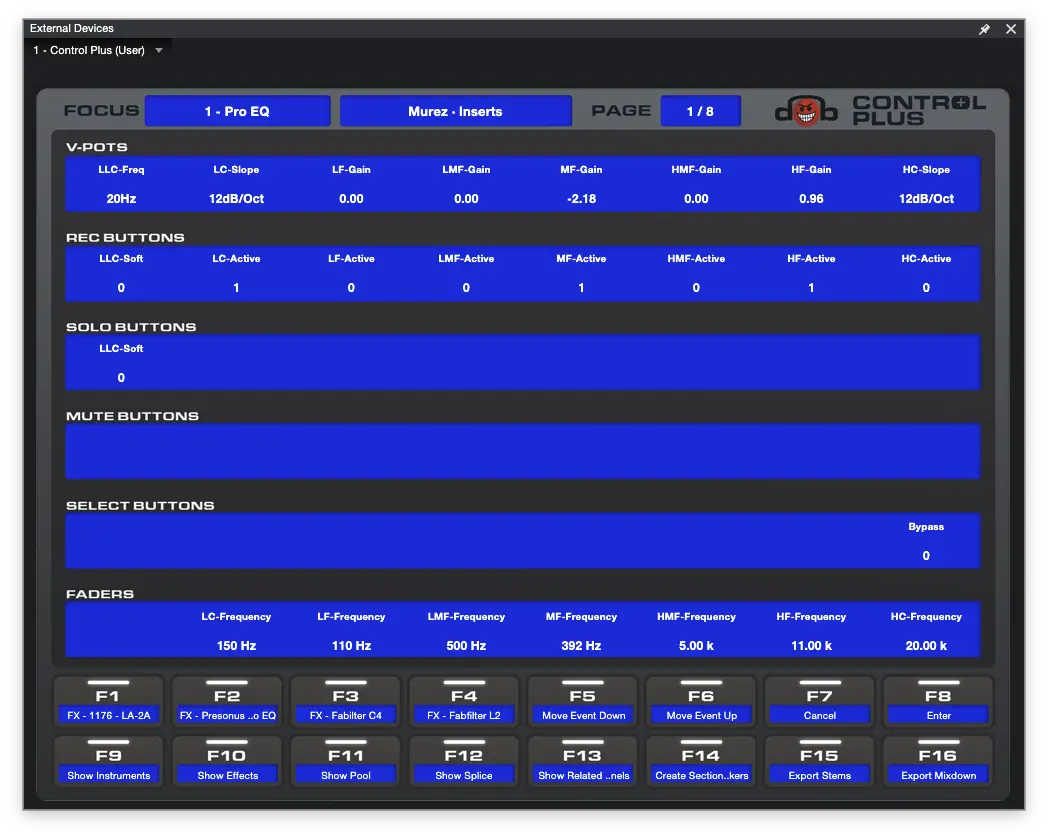
Advanced MIDI mode
Eight pages of plug-in control: every knob, button and fader of the mixer section becomes freely mappable via Control Link — up to 48 targets per page. The channel keys page through your parameters, the display mirrors names and values, and the master fader keeps controlling the active track.
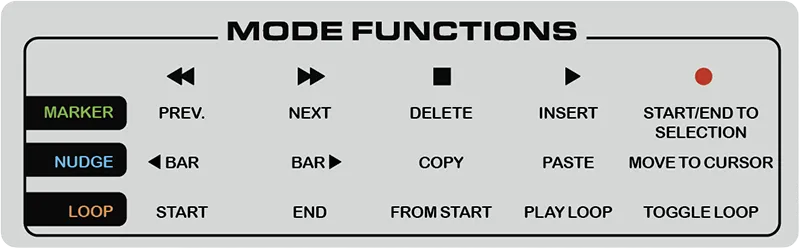
Marker, nudge & loop control
Three transport modes turn the five transport keys into dedicated tools: drop markers and jump between them, nudge events bar by bar, or set and play loops — one key press switches the mode, pressing it again returns to plain transport.
Bank cycling
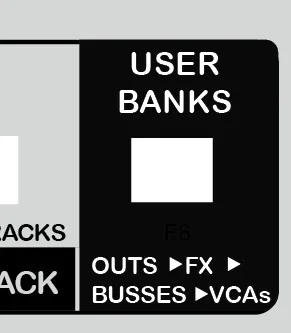
The User Banks key mirrors the current mixer state to the Mackie Control — and Shift cycles the fader bank through Outputs, FX, Busses and VCAs, so the channels you actually want are always under your hands.
Scroll to track
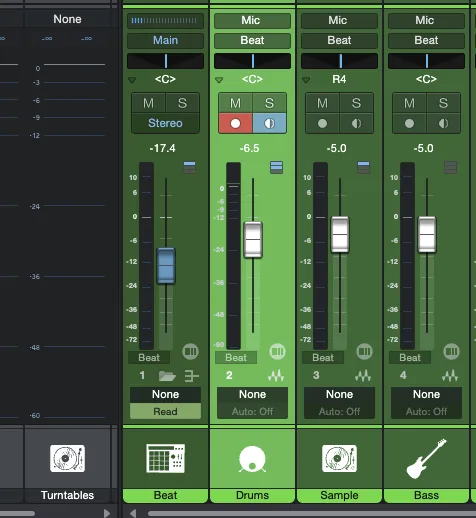
The fader bank follows whatever track you select in Fender Studio Pro v8 and Studio One v7 — pick a track on screen and the Mackie Control scrolls to it automatically. Combined with the advanced zoom functions (arrow-key zooming, zoom-to-selection and full view on the Zoom and Scrub keys) you stay on the part of the song you're working on.
Configurable buttons
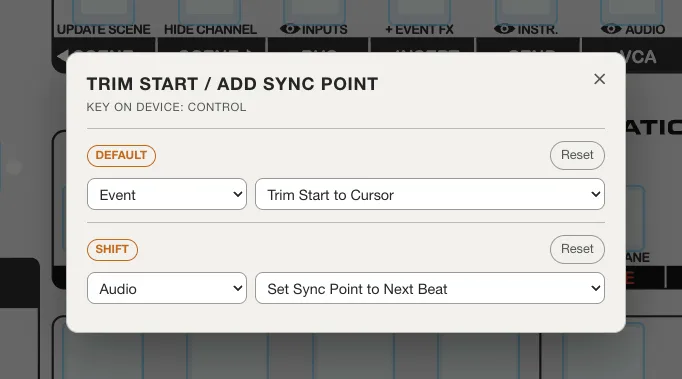
Start from our template — and if you miss a function, just change it. Click any labelled key on the configurator panel, pick a command — or a native Mackie Control function — for its normal and Shift layer, and download your personal device.
Mapping Configurator
Start from our ready-made Padbangers template — everything is already mapped, so you can download it as-is. Want it your way? Click any key on the panel to swap just that function, on its normal layer and on the Shift layer (the physical UNDO key). Change as little or as much as you like, then download your personalized device.
Installing the device means you accept the license (CC BY-NC-ND 4.0). Setup steps are in the Installation Guide included in the ZIP.
Changelog
v1.4.0
- Feature Extender support — a second device, "Control Plus Extender (User)", adds 8 more channel strips. Add it in your DAW's device setup with its own MIDI ports; the order of the devices in the list decides which unit shows which channels, so you can place the extender to the left or right of the main unit.
- Improvement Banking follows the full surface — with an extender connected, Bank ◄ / ► and scroll-to-track move in steps of 16 channels instead of 8.
- Improvement Touch-to-select is now on by default and works on the extender faders too. Switch it off any time with Shift + Name/Value, or pick the startup state above before you download.
v1.3.0
- Feature Console follows the hardware bank — pressing Bank ◄ / ► now scrolls the visible mixer in your DAW as well, so the console follows the Mackie in both directions.
- Feature Shift + Select = multi-select — add channels to the selection one by one; Shift + Select on an already selected channel removes just that one and keeps the rest.
- Feature Touch-to-select — optionally select a channel by touching its fader (exclusive). Toggle with Shift + Name/Value; off by default.
v1.2.1
- Fix In Plugin mode the fader bank no longer follows the channel selection (prevents unwanted shifting of the assigned plug-in parameters).
v1.2.0
- Feature Fender Studio Pro v8 support — pick your app version above the panel; the command list and the exported device now use the matching category names (e.g. "Session" instead of "Song"). Studio One v7 stays fully supported.
v1.1.0
- Improvement Shift+Prev VST / Shift+Next VST cycle plug-in presets (physical keys: EQ and Instrument) — previously unassigned, these now run Previous / Next preset by default.
v1.0.0
- Feature Initial release — advanced MIDI mode with 8 pages of mappable controls, 16 user functions on the F-keys, dedicated marker/nudge/loop modes, bank cycling, scroll-to-track, and the web configurator to remap any key.
Credits: built on the Mackie Control device scripts that ship with PreSonus Studio One and Fender Studio (© PreSonus Software Ltd.) and on ideas from the community project Mackie_LSMod by Skijumptoes & daslicht. Padbangers additions are licensed under CC BY-NC-ND 4.0. Requires a licensed installation of PreSonus Studio One or Fender Studio Pro. Vibe coded with Claude.
PreSonus and Studio One are trademarks of PreSonus Audio Electronics, Inc. Fender and Fender Studio are trademarks of Fender Musical Instruments Corporation. Mackie and Mackie Control are trademarks of LOUD Audio, LLC. This project is independent and not affiliated with or endorsed by PreSonus, Fender or Mackie.